Guide
Umrah eSIM: staying connected in Makkah and Madinah
Plan an Umrah eSIM for Saudi Arabia: phone checks, how much data to choose, hotspot for groups, WhatsApp calls home and setting up parents' phones.
On this page
An Umrah eSIM gives your phone mobile data in Saudi Arabia on a second line, so you can use maps, official apps such as Nusuk and WhatsApp calls home while your home SIM stays in the phone. Choose it by the number of days you will be there and how much calling and sharing your group does, check that each phone supports eSIM, and follow the start rule on the plan you buy. The Saudi Arabia eSIM plans page lists the current options.
Two Saudi Arabia plans and what they name
The destination page describes two plans that suit an Umrah trip, both as daily plans. The Saudi Arabia eSIM is the standard plan; its page names no network, so this guide makes no coverage claim for it. The Saudi Arabia Premium eSIM runs on STC, which the destination page says covers Makkah, Madinah and Jeddah. The plan pages list the data, days and rules for each, and they can change.
The destination page notes that around Masjid al-Haram at the busiest times, crowds can slow any network, so save maps, bookings and key contacts offline before you go out.
Check each phone first
Apple’s eSIM page says eSIM needs an iPhone XS, XS Max, XR or later, and Google’s eSIM page lists support on all Pixel 4 and later models. The phone must also be unlocked. On an iPhone, Settings, General, About should show “No SIM restrictions” next to Carrier Lock, and Apple says only your current carrier can unlock it. Use our eSIM compatible phones list for other makes, and check every phone in the group, especially older ones.
Apps you will need data for
The Ministry of Hajj and Umrah lists the Umrah permit service as available through the Nusuk app and website, at no charge. Its FAQ says a visitor with a valid visa can register in Nusuk from outside the Kingdom, that a Saudi phone number is not required, and that the verification code goes to the registered email. The same FAQ says permits are displayed and checked on arrival through the Nusuk and Tawakkalna apps. Registration at home on Wi-Fi is therefore possible, but the app is still part of your day in Saudi Arabia.
In August 2025 the Ministry announced that Nusuk features such as Rawdah permits, Haramain train booking and maps can be used without a data package by users of SIM cards inside the Kingdom, working with STC, Mobily and Zain. The announcement does not say whether a visitor’s travel eSIM counts, so keep data available for the app and do not plan around the offer. If you travel with an accredited provider’s package, ask them which apps they expect you to use; the Ministry’s Umrah page says packages are booked through accredited providers linked to Nusuk. Check the Ministry’s current pages for permit rules, which change.
Choose data for your days
Count from the time you expect to connect in Saudi Arabia to the time you leave, because the destination page says daily data renews 24 hours after the plan starts. Then match the amount to how you use the phone:
| How the phone will be used | What the destination page suggests |
|---|---|
| Maps, messages and short calls home | About 1 GB a day |
| A video call every day, or sharing data by hotspot | 2 GB a day or more |
| Several people on one phone’s hotspot | More again, because they share one allowance |
When a day’s data runs out, speed drops until the next day’s data arrives, which is enough for messages but too slow for video calls. The plan page states the speed. For a deeper worksheet, see how much data a travel eSIM needs. If you run short, the destination page says Saudi Arabia plans can be topped up, with limits on Premium plans that have one data allowance, so read the plan page and the top-up page before you buy.
Group travel and hotspot
The destination page says its plans allow hotspot, using the same allowance, so confirm this on the plan you choose. A shared hotspot works only while the phones are close and the host phone has battery, so agree a meeting point and a second way to reach each other. If people will often be apart, a separate eSIM for each phone is more reliable. Travel eSIM hotspot: share one phone or get a plan each? compares the two.
Install at home or on arrival
For both Saudi Arabia plans, the destination page says the plan starts when it first connects in Saudi Arabia, so installing at home does not use days. Other eSIMs differ: some start on installation, so follow the start rule on the plan you actually buy. Apple’s eSIM setup guide advises connecting the iPhone to Wi-Fi or a hotspot, which is easier at home than at an airport gate. If you do need Wi-Fi after landing, the Madinah airport site says it provides free Wi-Fi in all terminals; look for signage at Jeddah.
After landing, switch on the travel line for mobile data and follow the delivery email’s steps; our eSIM installation guide covers them. Apple warns that you might still pay roaming fees on your home line, so check which line carries data.
Keep in touch with family
WhatsApp says its voice calls use your phone’s internet connection instead of plan minutes, and that data charges may apply. A WhatsApp video call at the hotel therefore draws on the eSIM unless you are on Wi-Fi. Agree on one channel for the family at home, and remember that a text sent to your home number needs that line’s own roaming service. Data-only eSIMs: calls, SMS and WhatsApp explained sets out which tasks need which service. Check the “Data only” or “Data + SMS” line on the plan page.
Set up your parents’ phones
- Check their phone model and lock status first, as above.
- Install with them over home Wi-Fi. Apple’s steps use “Use QR code” or the Camera app, and Apple suggests labelling each line, for example “Saudi data”, so the right one is easy to find under Cellular settings.
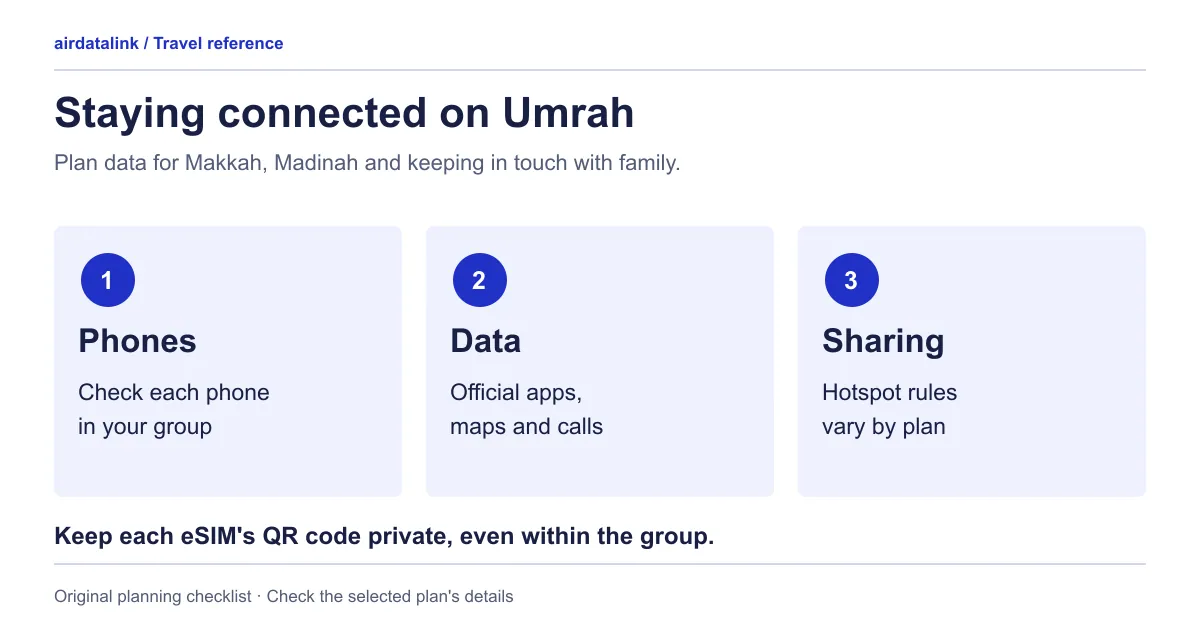
- Treat the QR code like a ticket: scan it on the phone it is for, and do not post it to a family chat.
- Set mobile data to the travel line, then turn Wi-Fi off and load a small page to confirm it works.
- Write the steps and an emergency contact on a large-print card.
- If a phone cannot use eSIM, plan for a family member’s hotspot and agree where the group stays together.
Common questions
Does an eSIM work in Makkah and Madinah?
The Saudi Arabia Premium eSIM runs on STC, which the destination page says covers Makkah, Madinah and Jeddah. The standard plan names no network, so check its plan page. Crowds can slow any network at the busiest times.
Do I need data for the Nusuk app?
The Ministry says the app is used for the Umrah permit and that visitors can register from outside the Kingdom. Its offer of using features without a data package is for SIM cards inside the Kingdom and does not say travel eSIMs are included, so keep data available.
Can I top up if I use more than planned?
The destination page says Saudi Arabia plans can be topped up, with limits on Premium plans that have one data allowance. Check the plan page before buying.
What if my trip includes another country?
Compare multi-country plans on the Middle East region page. A region’s name is not a coverage check, so confirm that Saudi Arabia and every other stop is on the plan’s list.
Sources
- Ministry of Hajj and Umrah: Umrah permit application servicechecked 30 October 2026
- Ministry of Hajj and Umrah: frequently asked questionschecked 30 October 2026
- Ministry of Hajj and Umrah: Nusuk application without internet consumption (news, 6 August 2025)checked 30 October 2026
- Ministry of Hajj and Umrah: Umrahchecked 30 October 2026
- Prince Mohammad Bin Abdulaziz International Airport (Madinah): Internet and Wi-Fichecked 30 October 2026
- WhatsApp: Voice and Video Callingchecked 30 October 2026
- Apple Support: Set up eSIM on iPhonechecked 30 October 2026
- Apple Support: Use eSIM while traveling internationally with your iPhonechecked 30 October 2026
- Apple Support: Using Dual SIM with an eSIMchecked 30 October 2026
- Apple Support: How to unlock your iPhone for use with a different carrierchecked 30 October 2026
- Google Pixel Help: Get a SIM or eSIMchecked 30 October 2026
Plans for your trip

Related guides
Browse destinationsBrowse compatible phonesRead the installation guide