
Guide
Thailand eSIM for tourists: how to choose and buy one
Buy a Thailand eSIM with confidence: check your phone, pick data and days, compare an airport tourist SIM, and know what to do on arrival.
On this page
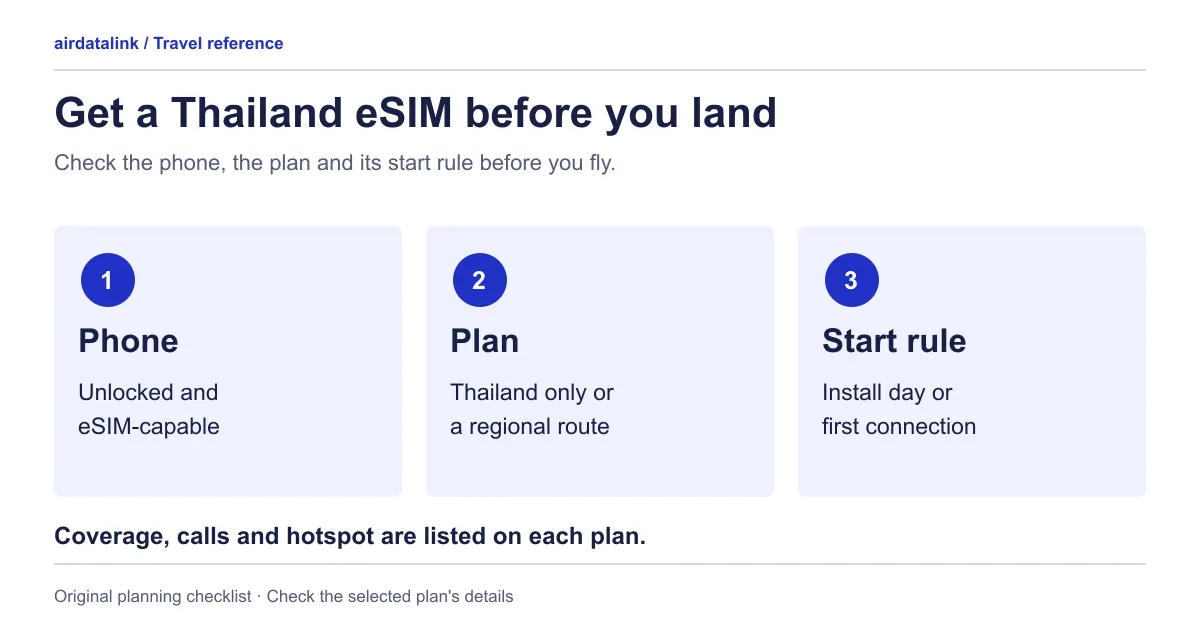
To buy a Thailand eSIM, check that your phone supports eSIM and is unlocked, choose a plan that covers your route, data needs and number of days, then install it by the plan’s own start rule and switch it on for mobile data when you land. You can compare current Thailand eSIM plans for data, days and start rules; this guide helps you decide which kind fits your trip. Most travel eSIMs supply mobile data rather than a Thai phone number, so read the plan page for anything beyond data.
Check your phone first
You need a phone that supports eSIM and is not locked to its original network. Apple lists the iPhone XS, XS Max and XR and later as eSIM-capable, and says a plan from a different network needs an iPhone that its provider has unlocked (Apple’s dual SIM guide). Check a specific model on our eSIM compatible phones page before you buy.
Choose data and days for your route
The Thailand-only plans come with one data allowance for a set number of days, while the three-country plan below comes as daily data or one total. The plan page lists the exact data and days; this table helps you choose the shape.
| Your trip looks like | Leans towards | Why |
|---|---|---|
| Maps, messages and the odd photo upload | A smaller total allowance | Light use rarely needs more |
| Video calls, streaming or sharing a hotspot | A larger total or a higher daily amount | A hotspot uses the same data allowance |
| Uneven days: a quiet beach day, then a long navigation day | Total data | A quiet day does not waste anything |
| Similar use every day | Daily data | Easy to predict, and each day starts fresh |
On a daily plan, speed slows once the day’s data is used, until the next day’s data arrives. On the three-country plan’s daily options that is 384 kbps, enough for messages but too slow for video, and the next day’s data arrives 24 hours after the plan started.
Count the days from landing to departure and add a spare for delays. To turn your habits into a number, see how much data a travel eSIM needs.
How far does coverage reach beyond Bangkok?
Any mobile network can be patchy on remote islands, in national parks and on mountain roads, so download offline maps before those days. Google notes that offline navigation only works when the whole route is inside the downloaded area (Google Maps Help).
One limit is specific. Thailand eSIMs, including ours, may not work in some areas of the far south, such as Pattani. If you’re travelling there, plan another way to get online.
Thailand-only or regional plan?
Match the plan to the countries you will actually visit.
- Only Thailand: a Thailand-only plan, such as Thailand eSIM, is the simple choice.
- Crossing a border, for example driving up to Hat Yai: the Malaysia, Singapore & Thailand eSIM works on both sides of the border, so you do not switch eSIMs.
- Thailand is one stop of several: compare Southeast Asia eSIM plans and check that every country on your route is covered and that the days last the whole trip.
When to install and when the plan starts
Plans differ in what starts the clock: some begin when you install the eSIM, others when it first connects. Follow the start rule on your plan. The Thailand plans start when they first connect to a network in Thailand, and you have a set window after purchase to start them, so installing on home Wi-Fi does not use any days. The plan page gives the window.
Install over Wi-Fi using your delivery email or the eSIM installation guide, and label the line so you recognise it. On arrival, choose the travel line for mobile data; Apple and Google both let one SIM be the data line at a time (Google Pixel’s dual SIM help). Turn on roaming for that line only if the plan’s steps say so, and check your home line’s roaming setting separately.
On arrival at Suvarnabhumi or Don Mueang
Airports of Thailand lists free Wi-Fi at six airports, including Suvarnabhumi (BKK) and Don Mueang (DMK). Its login steps for the operator networks ask for details such as a passport or ID number, so keep your passport to hand (AOT Wi-Fi page). Suvarnabhumi’s own guide also names AOT Airport Free Wi-Fi by NT, which asks for an email address instead; the Bangkok arrival guide covers it. Use the Wi-Fi to open your installation email if needed, then select the travel line, turn Wi-Fi off briefly and load a page to confirm data works.
The Suvarnabhumi to Bangkok phone guide covers the rail and road routes into the city. A flight into Don Mueang needs a different route.
Tourist SIM at the airport or a travel eSIM?
Both work, but they are different products.
| Thai operator tourist SIM or eSIM | Travel eSIM bought before you go | |
|---|---|---|
| Registration | The operators say it must be registered with your passport under NBTC rules | The plan page shows whether any ID step applies |
| Where you get it | Operator shops: dtac lists Suvarnabhumi, Don Mueang, Phuket, Samui, Chiang Mai and Krabi; True lists 24-hour airport locations. AIS and True also list tourist eSIMs | Online, delivered by email and installed over Wi-Fi |
| Limits | True caps tourist SIMs at 3 per person per brand and validity at 60 days; AIS asks tourists to reconfirm identity after 60 days to keep using the SIM | Set by the plan |
| What you get | A Thai number and the operator’s tourist packages | Mostly mobile data; the plan page lists what is included |
Choose an operator SIM if you want a Thai number or a longer stay on its own packages. Choose a travel eSIM if data is enough and you want it ready on landing. Check the operators’ fare pages for current prices, and your home provider’s rates if you are considering roaming.
Calls, SMS, LINE and Grab
A data connection covers maps, messages and app calls. For ordinary calls and SMS, read what the plan lists; data-only eSIMs, calls, SMS and WhatsApp explains how to keep your home number for texts.
LINE’s help page lists data-only SIMs among the numbers that cannot receive its verification, so sort out your LINE sign-in before you travel rather than counting on a code reaching the travel line (LINE Help). Ride-hailing and food apps such as Grab also need a data connection; check each app’s own help for sign-in and payment options for visitors.
Our Thailand plans connect to the internet through Indonesia, so a few websites may show Indonesian content or prices. Apps and maps work normally.
Common questions
What is the best eSIM for Thailand?
The best one covers your whole route, lasts the whole trip and gives you the data you actually use. Choose a Thailand-only plan unless you cross a border or visit other countries, then check the start rule before buying.
Do I need to register my passport for a Thailand eSIM?
Thai operators say their tourist SIMs and eSIMs must be registered with your passport under NBTC rules. For a travel eSIM, the plan page shows whether any ID step applies before you pay.
Can I buy a Thailand eSIM at the airport?
Operators’ shops at Thai airports sell their own tourist SIMs. A travel eSIM is bought online and installed over Wi-Fi, so buying before you fly is simpler, though airport Wi-Fi works if you need it.
Does a Thailand eSIM work outside Bangkok?
Not everywhere. Thailand eSIMs, including ours, may not work in some areas of the far south, such as Pattani, and remote islands and mountain areas can be patchy on any network. Save offline maps.
Can I top up or share data by hotspot?
Yes to both. Every Thailand plan can be topped up on the top-up page, and Thailand plans allow hotspot, which uses the same data allowance.
Sources
- AIS: SIM and plans for touristschecked 30 October 2026
- True: Thailand tourist SIM and eSIMchecked 30 October 2026
- dtac: Register Tourist SIM cardchecked 30 October 2026
- Airports of Thailand: AOT Free Wi-Fi at six airportschecked 30 October 2026
- LINE Help: Can't verify my phone numberchecked 30 October 2026
- Apple Support: Using Dual SIM with an eSIMchecked 30 October 2026
- Google Pixel Help: How to use dual SIMs on your Google Pixel phonechecked 30 October 2026
- Google Maps Help: Download areas and navigate offlinechecked 30 October 2026
Plans for your trip

Related guides
Browse destinationsBrowse compatible phonesRead the installation guide