Article
eSIM top-up or new plan? A decision worksheet
Compare an eligible eSIM top-up with a new profile using remaining data, validity, coverage, start rules and any replacement loss.
On this page
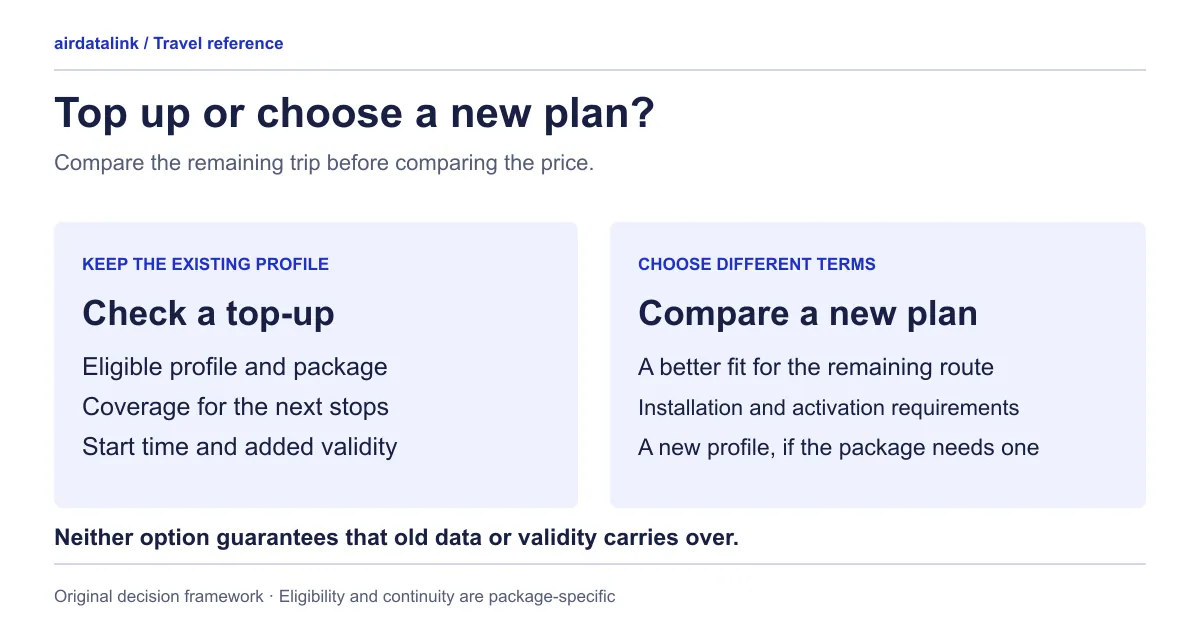
Choose a top-up when the offer for your existing eSIM meets the rest of your trip. Choose a new plan when that profile has no suitable offer, lacks the coverage you now need, or cannot satisfy the timing and device requirements. “More data” is only one part of the decision.
Compare the current plan, the proposed top-up and the alternative new plan side by side. A top-up may add allowance, extend service or start a successor package; use the explicit offer details to discover which outcome you are buying. Do not infer the outcome from the word “top-up.”
Start with the plan you already have
Record the eSIM’s label or ICCID, the phone using it, remaining allowance and stated expiry. The usage page on airdatalink asks for the ICCID, the eSIM number in your delivery email or phone settings, to show remaining data and validity. airdatalink usage explanation
Then write down the new need: extra data today, extra travel days, another country or a different phone. These are different problems. A package with more data but the same expiry may help the first problem while leaving the second unresolved. To size the data you actually need, use the data-budget worksheet.
If mobile data has stopped, check the current balance and connection settings before deciding to buy anything. An exhausted allowance, an expired plan and a settings problem need different next steps. An ended plan generally can’t be topped up, so a top-up is usually a decision to make before the plan ends; where a supplier allows it for a limited time, the top-up page shows a “Top-ups available until” date. Use the installation and troubleshooting guide if the balance and dates do not explain the interruption.
Complete the comparison before paying
| Question | Existing eSIM and top-up | Alternative new plan |
|---|---|---|
| Is it available for this traveller? | Check the offer for the exact profile | Check the intended phone and purchase conditions |
| Does it cover the remaining route? | Read the top-up’s actual coverage | Read every required destination |
| When does the new service begin? | Copy the stated top-up trigger | Copy the new plan’s activation trigger |
| Does it cover the extra days? | Check the stated validity effect | Match validity to remaining travel days |
| What happens to current data? | Added, retained, replaced or unspecified? | Do not assume it transfers between profiles |
| Is another installation required? | Confirm continuity of this profile | Read the new installation instructions |
| What will I pay? | Current final amount and any disclosed conditions | Current final amount and any disclosed conditions |
Download the top-up comparison worksheet to record the details of the specific offers you are considering.
An unanswered field is a question for the provider, not permission to assume the most convenient outcome. Open top-up options for the relevant eSIM, or My eSIMs to identify your profile. Top-ups are offered only when that plan allows them and the supplier lists options. If yours does, the top-up page and the eSIM’s own page show them with a chooser (Total or Daily, then the data, then the length) and says whether each starts now or after your current plan before you pay. If no suitable option appears, browse travel eSIM plans by destination for a new plan.
Read the start trigger literally
An offer may state that it starts at payment, starts after the current plan, or replaces the current plan at payment. Those phrases describe different schedules. Copy whichever rule your offer actually provides; the start-rule guide explains how to read the wording.
A successor that waits for the current plan to end may not have a predictable calendar start. If the running total-data plan can end through either consumption or expiry, your future usage affects when it ends. Do not turn “after the current plan” into a fixed date unless the provider supplies that date and explains it.
Check whether another top-up is already waiting. Buying several packages early is not supported: while one top-up is waiting, the top-up page says another can be added once it starts. A waiting package does not prove you have extra usable data now. Read its status and trigger rather than treating the purchase receipt as confirmation of immediate service.
Three illustrative decisions
These scenarios explain the worksheet. Their amounts, dates and offer behaviour are invented; they are not current packages or supplier promises.
Extra data before the same expiry. Imagine a traveller has 1 GB left and three days remaining. An eligible offer explicitly adds 3 GB while keeping the current expiry. It could address a shortage during those three days. It would not address a flight moved to a later date beyond that expiry.
More days, with a successor waiting. Imagine a daily plan has two days left and the offered package says it begins after the current plan. A traveller adding four nights should compare the stated successor duration and time rules with the new departure, rather than counting the payment date as day one.
A replacement that clears the current plan. Imagine a fair-use total plan whose full-speed data is almost gone and an offer that replaces it at payment. Where such an offer exists, it appears only once about 99% of the data is used; the page shows what would be cleared and asks you to confirm before it goes in your cart. Compare the replacement’s benefit with a separate new plan, and read the confirmation carefully: a larger headline allowance does not explain the whole exchange.
Keep profile continuity separate from phone changes
A top-up for one installed profile does not establish that the profile can move to another phone. Phones have their own tools for moving an eSIM: Apple’s eSIM Quick Transfer needs both iPhones on iOS 18.4 or later, signed in with your Apple Account and nearby with Bluetooth on (Apple’s eSIM setup page), and Pixel offers Transfer SIM from another device under Network & internet → SIMs (Google’s connectivity guide). Those are phone features, and whether a particular travel eSIM may be moved is a question for that plan’s own terms. If a phone is lost, replaced or given to another traveller, check that plan’s own reinstall and transfer terms (shown on its plan page and in your delivery email), and ask support, before paying for additional service on it.
Apple advises against erasing an eSIM during troubleshooting unless the carrier directs it. Erasing a profile and cancelling a cellular plan are separate actions. Apple’s erase guidance
For a new plan, label the new profile clearly and follow its installation timing. Confirm which line will supply mobile data before the next journey. Keep the earlier profile until you understand whether it is still useful and what deletion would mean for that package.
Your final purchase note
Write one short confirmation before checking out: “This purchase is for profile ___ on phone ___; it covers ___; it starts ___; it changes data by ___; it changes validity by ___; and it discards ___, if anything.” Add the displayed final amount and save the instructions privately.
If the offer cannot complete that sentence, use support with your order reference and the missing question. Once the purchase is fulfilled, check the reported plan or top-up status. That gives you a reasoned choice between continuing the same profile and installing a new one. When the trip is over, the after-trip checklist covers whether to keep or remove the profile.
Common questions
Can I top up my travel eSIM?
Only if that plan allows it and the supplier lists options. Open the top-up page or the eSIM’s own page: where options exist, a chooser shows Total or Daily, then the data, then the length, and says whether each starts now or after your current plan before you pay.
Does a top-up extend my eSIM’s validity?
Not necessarily. An offer may add data, add days, or start a successor package, and its details say which. Copy the stated effect on data and validity before you pay, and do not assume “top-up” means more days.
Can I top up after my eSIM has expired?
An ended plan generally cannot be topped up, so decide before it ends. Where the supplier allows a top-up for a limited time after the end, the top-up page shows a “Top-ups available until” date.
Can I buy more than one top-up in advance?
Not at once. While one top-up is waiting, the top-up page says another can be added once it starts. A waiting top-up is not extra usable data yet, so read its status and trigger.
When should I buy a new eSIM instead of topping up?
Choose a new plan when the profile has no suitable offer, when you need a country the top-up does not cover, when the timing rules do not fit your dates, or when the plan will be used on a different phone. Check the new plan’s start rule and installation instructions before you pay.
Sources
- airdatalink: Check eSIM usagechecked 7 October 2026
- Apple Support: How to erase an eSIM on your iPhone or iPadchecked 30 October 2026
- Apple Support: set up eSIM on iPhonechecked 30 October 2026
- Google Pixel Help: fix mobile connectivity issueschecked 30 October 2026
Related guides
Browse destinationsBrowse compatible phonesRead the installation guide