Article
After a trip: restore your phone, keep or delete the eSIM
Restore your home data and calling lines, save your usage records and decide whether to keep or delete a travel eSIM after you get home.
On this page
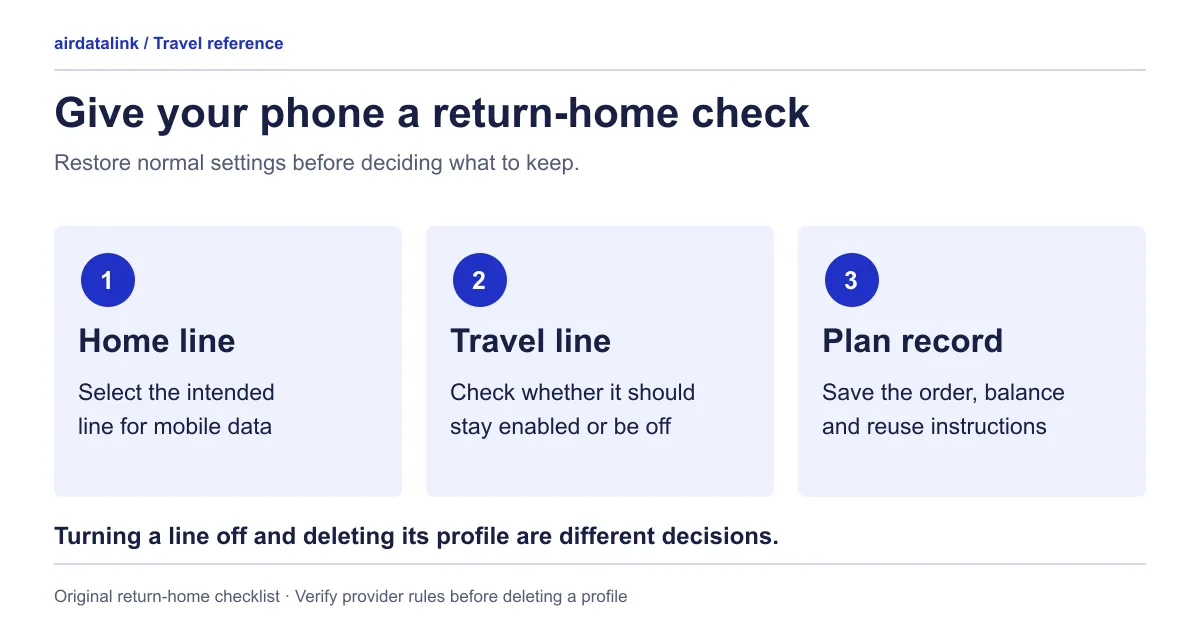
When you return home, restore the intended line for data and calls, confirm that it works, then save the travel package’s records. Decide whether to keep or remove the travel profile after checking its reuse conditions. Finishing a trip is not, by itself, a reason to delete an eSIM.
This checklist is also useful after the last stop of a regional journey. If you are still abroad during a connecting flight, wait until you are back in your home carrier’s intended coverage before restoring settings that could permit chargeable roaming.
1. Restore your everyday lines deliberately
Identify the home and travel lines by label. Choose the home line for mobile data, and check your preferred line for calls and messages separately. Apple’s Dual SIM guidance provides separate data and voice defaults.
Review any automatic data-switching preference you changed for the trip. Set it to the behaviour you now want rather than assuming that changing the default data line completes every setting. On iPhone, Apple says Allow Cellular Data Switching lets the phone use both plans for data depending on coverage and availability, so check it if you do not want the travel line carrying data at home. Apple’s Dual SIM guide If you retain a travel profile for future use, switch that line off when you do not intend to use it.
Restore the home line’s roaming setting according to your home carrier’s instructions. Domestic arrangements and travel add-ons differ; avoid a blanket rule to turn every roaming switch on or off. If you are near a border or about to travel again, confirm the applicable coverage and charges first.
With Wi-Fi temporarily disconnected, load a fresh small page over your intended home data line. If your home package includes calls and messages, make a brief ordinary test as appropriate. Reconnect Wi-Fi afterwards. A working app alone does not tell you which SIM carried its data, so check the selected line during the test.
2. Save the trip’s useful records
Keep the order reference, package name, covered countries, validity dates and a final usage reading from Check eSIM usage. Readings come from the supplier and can lag behind your last use, so include the reading’s update time and any unresolved support case. Store these with your travel receipts, away from public photo albums or shared folders containing installation credentials.
Record how the trip differed from your plan: an extra hotspot session, an unexpectedly large upload, or a day when you relied on hotel Wi-Fi. These observations are useful for your next purchase without turning a single experience into a claim about network performance everywhere.
Save the phone’s usage figures before clearing them. Apple’s usage guide includes Reset Statistics; preserve a screenshot or note first. Check the period and selected line so that a long-running counter is not mistaken for this trip alone.
Resetting a phone’s local counter does not renew a package, increase its remaining allowance or change a provider’s records. Treat record keeping and package management as separate tasks. If you need a new baseline for the next journey, establish it when that journey begins and write down the date.
3. Make the keep-or-remove decision
| Situation | Practical decision |
|---|---|
| The package is still valid and another covered stop is ahead | Retain the profile; check the remaining dates and allowance before the next connection |
| You may travel again and reuse is expressly supported | Keep the profile switched off and save the provider’s reuse instructions |
| Reuse or reinstall conditions are unclear | Check the plan’s own reinstall terms; if they are still unclear, leave it installed but off while asking support |
| The package is finished and removal is confirmed appropriate | Save records, identify the exact travel profile, then follow the device’s removal instructions |
| A dispute or connection case remains open | Preserve the profile and evidence until support explains what it needs |
A saved profile, unused data and a supported top-up are three different things. Do not infer one from another. Ask whether the same profile can accept another package and whether the intended next country is included. Top-ups are offered only for some plans, and an ended plan generally can’t be topped up; where the supplier allows it for a limited time, the top-up page shows a “Top-ups available until” date. A retained profile is not a reservation for a future top-up.
If reuse is confirmed, also check when a new package starts, whether remaining data or validity carries over, and whether a top-up must happen before expiry. A “top-up available” label should not be read as automatic renewal or an extension of every earlier condition.
4. Remove only when the decision is settled
Apple says an erased eSIM needs carrier replacement; cancelling the plan is separate. Check the plan’s own reinstall terms (shown on its plan page and in your delivery email) before removing a profile you may need again; ask support if they do not cover your case.
Switch off or delete, by phone. Switching a line off keeps the profile installed; deleting removes it.
| Phone | Switch the line off (profile stays) | Delete the profile |
|---|---|---|
| iPhone | Settings → Cellular, tap the line; its Turn On This Line switch controls it (Apple) | Settings → Cellular, select the plan, Delete eSIM; Apple says you then need the carrier for a new one (Apple) |
| Pixel | Settings → Network & internet → Mobile network, tap the SIM and turn off Use this SIM | Mobile network, select the eSIM, Erase eSIM; Security → Advanced → Confirm SIM deletion adds a password step (Google) |
| Galaxy | Use the SIM card manager in Settings and your manufacturer’s instructions for your model | Samsung covers removing plans and says it does not affect your contract with the network provider (Samsung) |
Menu names vary by software version. Deleting a profile and cancelling a plan are separate: Apple says to contact your carrier to cancel a cellular plan.
Check the label and identifying details immediately before removal. Several profiles named “Travel” are easy to confuse. Do not remove the home line while trying to tidy the travel list, and do not rely on an old QR code as proof that reinstallation is permitted.
Handle any recurring subscription or renewal through the provider’s documented account process. Turning a line off, deleting the profile and cancelling a paid service are different decisions. For a one-time package, keep its receipt and expiry record; do not invent a renewal task where none exists.
5. Prepare a short note for the next trip
Write four lines: the home settings restored, the travel profile retained or removed, the provider’s answer about reuse, and the data pattern worth planning for next time. Resolve missing package information through support before another purchase. The data-budget worksheet turns the data pattern you noted into a number for next time.
You finish with a phone that uses the intended home connection and a clear record of what remains usable. That record makes the next travel decision easier than leaving several unnamed profiles and guessing which one can be used again. When the next trip is planned, browse travel eSIM plans by destination, and use the top-up or new plan worksheet if a retained profile might still be useful.
Common questions
Should I delete my travel eSIM after my trip?
Not automatically. Check the plan’s own reinstall terms first, because Apple says an erased eSIM needs the carrier to provide a new one. If the package is finished and you do not need the profile, save your records and then delete it by its exact label.
How do I turn off a travel eSIM without deleting it?
Switch the line off in your phone’s SIM settings: on iPhone under Cellular, tap the line; on Pixel under Mobile network, turn off Use this SIM. The profile stays installed, and you can switch it back on if the plan’s rules allow another use.
Can I reuse my travel eSIM on my next trip?
Only if that plan’s own terms say it can. Top-ups exist only for some plans, and an ended plan generally cannot be topped up; where the supplier allows it for a limited time, the top-up page shows a “Top-ups available until” date. A saved profile is not a reservation for a future top-up.
Does deleting the eSIM cancel the plan?
No. Deleting a profile and cancelling a plan are separate decisions: Apple says to contact your carrier to cancel a cellular plan, and Samsung says removing a plan does not affect your contract with the provider. For a one-time package, keep the receipt and the expiry record rather than inventing a renewal task.
Will my phone keep using the travel eSIM’s data at home?
Only if that line is still selected for mobile data, or if data switching lets the phone use it. Choose your home line for mobile data, check Allow Cellular Data Switching on iPhone, and switch the travel line off if you will not use it.
Sources
- Apple iPhone User Guide: use Dual SIMchecked 7 October 2026
- Apple Support: using Dual SIM with an eSIMchecked 30 October 2026
- Apple Support: use cellular data and view usagechecked 30 October 2026
- Apple Support: how to erase an eSIMchecked 30 October 2026
- Apple Support: if you see SOS, No Service or Searching on your iPhone or iPadchecked 30 October 2026
- Google Pixel Help: how to use dual SIMs on your Google Pixel phonechecked 30 October 2026
- Samsung UK: use an eSIM with your Galaxy phonechecked 30 October 2026
Related guides
Browse destinationsBrowse compatible phonesRead the installation guide