Article
When does a travel eSIM start? Installation vs activation
Find what starts a travel eSIM's validity (installation, first connection or another trigger) and plan install, use-by and expiry on one timeline.
On this page
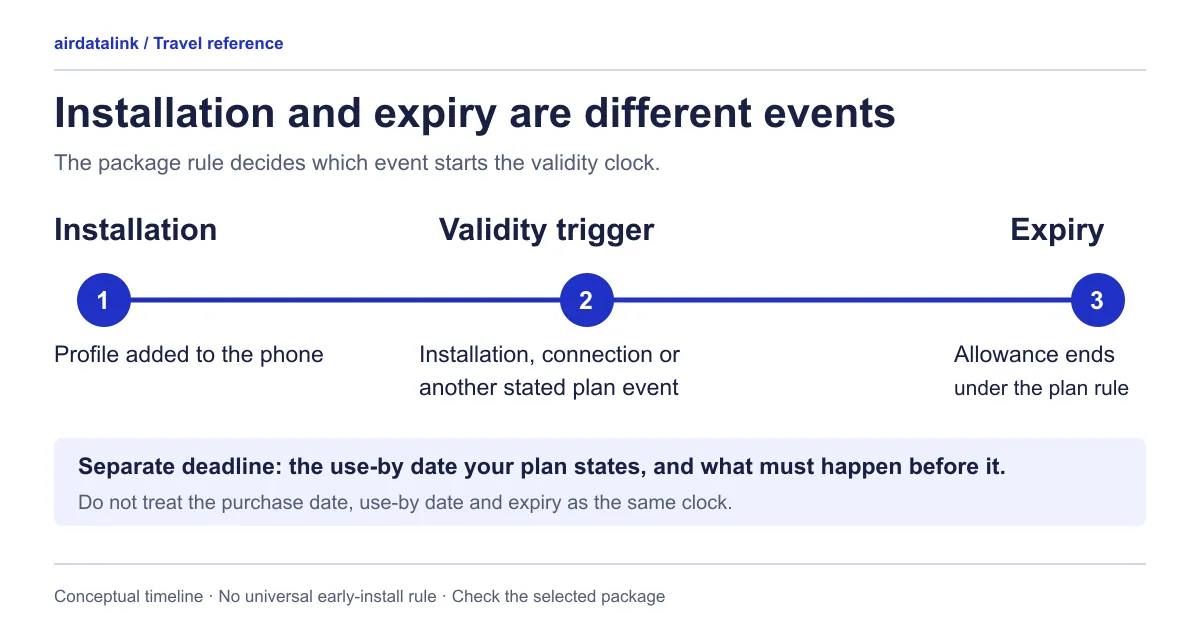
It depends on the plan: some travel eSIMs start their validity when you install them, others when they first connect to a supported network at the destination, and your plan’s own details say which. Buying an eSIM, downloading its profile and starting its usable data period can happen at different times, so read the start rule before scheduling your installation. A use-by deadline tells you when a required first action must happen; an active plan’s expiry tells you when that service period ends.
The FAQ on airdatalink distinguishes packages that start on installation from packages that start when they connect at the destination. That distinction is enough to make blanket “install a week early” advice unreliable. airdatalink’s activation explanation
Build a timeline from the actual instructions for your chosen package, using the worksheet below. If an important field is missing, ask for clarification before performing the action that might start the clock.
What your phone treats as separate steps
The phone itself separates three things that a plan’s start rule may or may not tie together:
- Installing the profile. This is a download. Apple’s eSIM setup page tells you to connect the iPhone to Wi-Fi or a hotspot first, and Samsung’s Galaxy guide says to be on Wi-Fi or mobile data before you add a plan. Both describe a QR code or manual details from your provider, and Apple says that if the phone asks for a confirmation code you enter the one your provider supplied.
- Switching the line on or off. An installed profile can sit in the SIM list switched off. Apple labels the option Turn On This Line, and Google’s dual-SIM guide uses Use this SIM.
- Choosing the line for mobile data. Apple says only one number can use cellular data at a time, and Google says only one SIM can be the default for data.
Which of these starts your plan’s days is the plan’s start rule, not the phone’s. A profile that is installed but switched off, or on but not yet connected to a covered network, is a different state from a plan that is running, so write down which action your plan counts.
Put six events in separate boxes
| Event or field | What to record | What it does not establish by itself |
|---|---|---|
| Purchase | Order date and package selected | The installation or activation date |
| Pre-activation deadline | Exact use-by wording, date and required action | The expiry of an already active plan |
| Installation | When the profile is added to the phone | Whether usable-plan validity starts then |
| Activation trigger | The package’s stated action that starts validity | A rule shared by every eSIM |
| Validity or stated start | Duration, counting method and any “starts on” date | A guaranteed number of full local calendar days |
| Expiry | Stated end date, time and time zone once available | A reset date for a daily allowance |
Keep the wording attached to the date. A use-by date can ask for different actions: an airdatalink eSIM page can say to install and activate before the date, or to connect and start using data in a covered destination before it. A package that must first connect before its deadline needs a different schedule from one that only requires installation by that point. Do not rename an ambiguous label or assume it means whichever action is easier.
Copy a provided deadline instead of calculating one from the purchase date. The order date is a useful record, but it does not replace the package’s issued deadline.
Identify the action that starts validity
Look for an explicit rule in the package details and delivery instructions. It might name installation, the first supported network connection, first data use or a stated manual activation step. Record the exact rule; do not treat those phrases as interchangeable.
If the package explicitly starts at purchase, purchase and activation share a timestamp. Keep both labels on the worksheet so the stated rule remains clear.
If installation starts validity, schedule installation near the first intended use while allowing time for setup. If first connection starts validity, check whether installation can be completed beforehand and what connection qualifies. If the instructions supply a “starts on” date, put that date on the timeline and confirm what action you still need to take.
Airplane mode, a line toggle or waiting to open a browser should not become an invented workaround for the stated policy. Use the package’s instructions to decide when the profile may be installed and enabled.
For the device steps, follow the installation guide and the pre-departure checklist. Keep this timeline beside those instructions so the setup task and timing decision agree. To compare start rules across plans, browse travel eSIM plans by destination and read each plan page’s own start rule.
Two illustrative plans, one itinerary
Imagine a trip needing mobile data from 10 to 14 November. These are invented package rules and dates for comparison; they do not describe an airdatalink offer.
| Illustrative package | Assumed rule | Scheduling consequence |
|---|---|---|
| Plan A | Starts on installation; lasts exactly five periods of 24 hours | Installing at noon on 8 November would give an assumed expiry of noon on 13 November |
| Plan B | Starts on first supported connection; same rolling duration; first connection required by 20 November | Installing on 8 November would not start this assumed clock; connecting at noon on 10 November would give an assumed expiry of noon on 15 November |
The duration is identical, but the action starting it changes whether it covers the intended final day. The example also shows why “five nights” is not a complete timing calculation: the first and final hours matter.
Before applying that arithmetic to a real package, check whether its duration actually uses rolling 24-hour periods. Some instructions instead use calendar cutoffs.
A calendar cutoff needs a time zone
One airdatalink Europe product page specifies a UTC/GMT+0 daily cutoff. That is a reason to read the selected package’s time rule, not to apply UTC to all plans. Published Europe package timing note
For a separate illustrative calculation, suppose a package counts an activation date as day one and ends each day at midnight UTC. A three-day plan activated at 23:30 UTC on 10 November would, under those invented rules, expire at 00:00 UTC on 13 November. Its first counted day would contain only 30 minutes.
Copy the real expiry first, then convert it into the local time where you will be. Once a plan is running, its eSIM page shows the start, the daily reset (on daily plans) and the expiry in GMT+8, with your own time beneath them when your device uses another time zone. If the instructions do not explain how the first day is counted, ask rather than supplying your own calendar rule.
Keep resets and expiry distinct
A daily allowance’s next reset is another entry on the worksheet. It answers when the next allowance becomes available under that package’s rules. It does not, by itself, extend the plan’s expiry.
Likewise, turning a line off does not establish that the provider pauses validity. Record any explicit pause rule if one exists; otherwise plan around the stated active period.
Before departure, finish four sentences: “I must complete ___ by ___”; “my validity starts when ___”; “the package counts time using ___”; and “I expect to need service until ___.” Until the plan starts, its eSIM page shows a use-by date, when one is reported, instead of validity dates. After starting the plan, check its reported validity through My eSIMs or check eSIM usage. Use support when those dates or instructions disagree.
Common questions
Does my travel eSIM start when I scan the QR code?
It depends on the plan. Some plans start when you install them and others start when they first connect to a supported network, and the plan’s details say which. Read that rule before you scan, because scanning the QR code is the installation step.
Can I install my travel eSIM before I fly?
Your phone can install a profile at home over Wi-Fi, since installing is a download. Whether you should depends on the start rule: a plan that starts on installation uses days from that moment, while one that starts on first connection does not. Follow the start rule on your plan rather than a general “install early” tip.
Do I need Wi-Fi to install an eSIM?
Apple tells you to connect the iPhone to Wi-Fi or a hotspot before setting up, and Samsung says the Galaxy should be on Wi-Fi or mobile data. Install somewhere with a reliable connection, and check your plan’s start rule for when to do it.
What does a “use by” or “activate before” date mean?
It is the deadline for a required first action, such as installing the eSIM or connecting to a covered network. It is not the date a running plan expires. Copy the wording exactly, because the required action differs between plans.
Does switching the eSIM line off pause my plan?
Do not assume so. Switching a line off in Settings is a phone setting, and a plan pauses only if its own rules say it does. If you need more days, compare an eligible top-up with a new profile using the top-up or new plan worksheet.
Sources
- airdatalink: Frequently asked questionschecked 7 October 2026
- airdatalink: Discover Europe eSIM timing informationchecked 7 October 2026
- Apple Support: set up eSIM on iPhonechecked 30 October 2026
- Samsung UK: use an eSIM with your Galaxy phonechecked 30 October 2026
- Apple Support: using Dual SIM with an eSIMchecked 30 October 2026
- Apple Support: if you see SOS, No Service or Searching on your iPhone or iPadchecked 30 October 2026
- Google Pixel Help: how to use dual SIMs on your Google Pixel phonechecked 30 October 2026
Related guides
Browse destinationsBrowse compatible phonesRead the installation guide