Article
Suica on iPhone: a visitor's setup guide for Japan
Add Suica to Apple Wallet or use JR East's Welcome Suica Mobile: which to choose, how to top up, Express Mode, and what Android users can do instead.
On this page
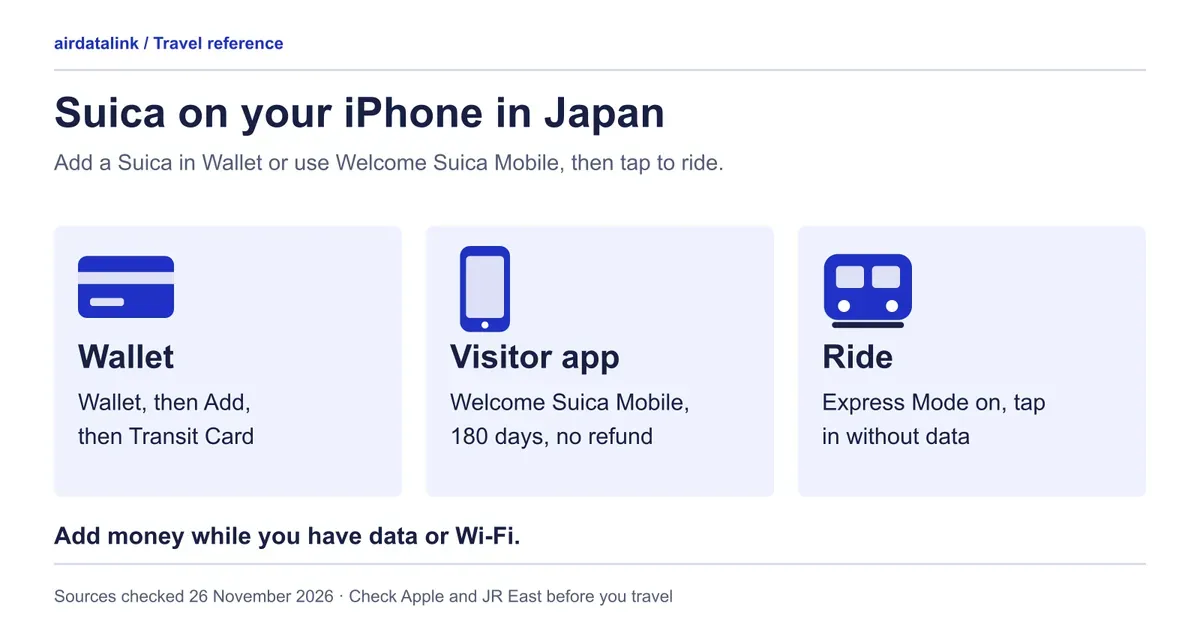
You can carry Suica on an iPhone in two ways: add a Suica card in Apple Wallet, or use JR East’s Welcome Suica Mobile app, made for overseas visitors. Both pay for trains, buses and shopping with a tap, and both add money with a card you already have in Apple Pay. Welcome Suica Mobile’s balance expires 180 days after you set it up and is not refundable. Riding works without a connection, but adding money needs one. For data on arrival, see our Japan eSIM plans.
Which should I choose?
| Suica in Apple Wallet | Welcome Suica Mobile | |
|---|---|---|
| What it is | A Suica card you add in the Wallet app | JR East’s app for overseas visitors, which issues a Suica |
| iPhone | iPhone 7 or later for Suica, says Apple | iOS 17.2 or later; users must be 13 or older |
| How to set it up | Wallet, then Add, then Transit Card | Download the app, agree to the terms, set a secret keyword and turn on location |
| Adding money | Wallet, then your Suica, then Add Money, paid with a card in Apple Pay | In the app, with the card registered in Apple Pay |
| Validity | Apple’s pages don’t set an expiry | Balance expires 180 days after issue; no refund |
| Extras | Express Mode | Express Mode, plus Green Car tickets and Shinkansen and Narita Express reservations in the app |
Sources: Apple, transit cards in Japan; Apple, adding transit cards; JR East, Welcome Suica Mobile; Welcome Suica Mobile on the App Store
Choose Welcome Suica Mobile if you want JR East’s visitor features in one app and expect to spend the balance within 180 days. Choose a Suica in Wallet if you’d rather not have Welcome Suica Mobile’s 180-day limit. Either way, set it up early and test adding a small amount.
How do I add a Suica to Apple Wallet?
- Check your iPhone: Apple says Suica needs an iPhone 7 or later, and an Apple Account that you signed in to with two-factor authentication. Apple, transit cards in Japan
- Open Wallet, tap the Add button, then tap Transit Card. Apple, adding transit cards
- Choose Suica and follow the steps on screen.
- Check that your Suica is set to Express Mode. Apple says Express Mode lets you ride and pay without waking or unlocking your iPhone or opening an app.
Apple’s page asks for an Apple Watch bought in Japan if you want Suica on your watch. It sets no such condition for the iPhone.
How do I set up Welcome Suica Mobile?
JR East lists these steps. JR East, Welcome Suica Mobile
- Download the app before your trip. The App Store lists it as Welcome Suica Mobile, sold by East Japan Railway Company.
- Agree to the terms and conditions.
- Set a secret keyword. JR East says it is used when you contact them, so note it somewhere safe.
- Turn on location. JR East says the app uses it to decide whether money can be added.
- Turn on Express Mode for the Suica, as the App Store listing asks.
JR East warns that laws in some countries stop you setting up the card and adding money until you arrive in Japan, and that downloading the app and adding money are restricted by law in some countries. The App Store listing says payment is through Apple Pay only, with no deposit or issuance fee, and that you don’t enter card details in the app. Welcome Suica Mobile on the App Store
How do I add money?
In Wallet, tap your Suica, tap Add Money, choose an amount, choose the card to pay with and confirm. Apple, top up a transit card In Welcome Suica Mobile, you add money in the app and it charges the card registered in Apple Pay.
Neither Apple’s nor JR East’s pages list which card brands are accepted, and acceptance depends on your bank and card. Add a small amount as soon as you can, and carry a second card, ideally a different brand, in case one is refused. Because adding money happens online, do it while you have data or Wi-Fi.
Do I need internet to ride?
No. Apple says your iPhone must be turned on, but doesn’t need to be connected to a mobile network or Wi-Fi to pay for rides. Apple, transit cards in Japan The Welcome Suica Mobile listing adds that you can’t use Suica while the phone is off, so keep it charged. You do need data to add money, and for maps and translation; our Japan arrival guide covers the first hour after landing.
What if I have an Android phone?
Google says that to use e-money such as Suica in Google Wallet, your Android phone must support Osaifu-Keitai. Google Wallet Help Check your phone’s specifications. Welcome Suica Mobile is an iPhone app.
If your phone doesn’t support it, use a physical card. JNTO says most IC cards need a deposit, but cards made for international visitors, such as Welcome Suica and TOURIST PASMO, don’t. JNTO, IC cards Check the operator’s site for where to buy one and how long it lasts.
At a glance
| Question | Answer | Source |
|---|---|---|
| Which iPhone? | iPhone 7 or later for a Wallet Suica; iOS 17.2 or later for Welcome Suica Mobile | Apple; App Store listing |
| How to add a Suica? | Wallet, then Add, then Transit Card | Apple |
| How to add money? | Wallet: Add Money; Welcome Suica Mobile: in the app, paid through Apple Pay | Apple; App Store listing |
| How long does it last? | Welcome Suica Mobile: 180 days from issue, no refund | JR East |
| Need internet to ride? | No, but the phone must be on | Apple; App Store listing |
| Android? | Needs Osaifu-Keitai; otherwise a physical visitor card | Google; JNTO |
Common questions
Can I add Suica to an iPhone bought outside Japan?
Apple’s page asks for an iPhone 7 or later for Suica, and an Apple Account with two-factor authentication. It only asks for a device bought in Japan for the Apple Watch.
Does Welcome Suica Mobile expire?
Yes. JR East says the balance expires 180 days after the card is issued, and the remaining balance is not refunded.
Can I set up Welcome Suica Mobile before I fly?
JR East suggests downloading the app before your trip, but says that in some countries the law doesn’t allow you to set up the card and add money until you arrive in Japan.
Which cards can I use to add money?
Both options charge a card in Apple Pay. Neither Apple nor JR East names the accepted brands, and acceptance depends on your bank, so test a small amount early and carry a second card.
Does Suica on iPhone work without internet?
Riding does. Apple says the iPhone needs to be on, but not connected. Adding money needs a connection.
Can I use Suica on an Android phone?
Only if your phone supports Osaifu-Keitai, according to Google Wallet’s help. Otherwise use a physical visitor card such as Welcome Suica or TOURIST PASMO, which JNTO says need no deposit.
Sources
- Apple: Use transit cards on your iPhone or Apple Watch in Japanchecked 26 November 2026
- Apple: Where you can ride transit using Apple Pay (finding and adding transit cards in Wallet)checked 26 November 2026
- Apple: Top up your transit card with Apple Paychecked 26 November 2026
- JR East: Welcome Suica Mobilechecked 26 November 2026
- East Japan Railway Company: Welcome Suica Mobile on the App Storechecked 26 November 2026
- Google Wallet Help: Add e-money and debit or credit cards to the Google Wallet app (Japan only)checked 26 November 2026
- Japan National Tourism Organization: IC cards (Suica, PASMO and others)checked 26 November 2026
Plans for your trip

Related guides
Browse destinationsBrowse compatible phonesRead the installation guide