
Article
How do I keep my Malaysian number for bank TAC with a travel eSIM?
Keep your Malaysian line on for SMS TAC while a travel eSIM carries data: dual SIM steps for iPhone and Android, and what to ask your bank before you fly.
On this page
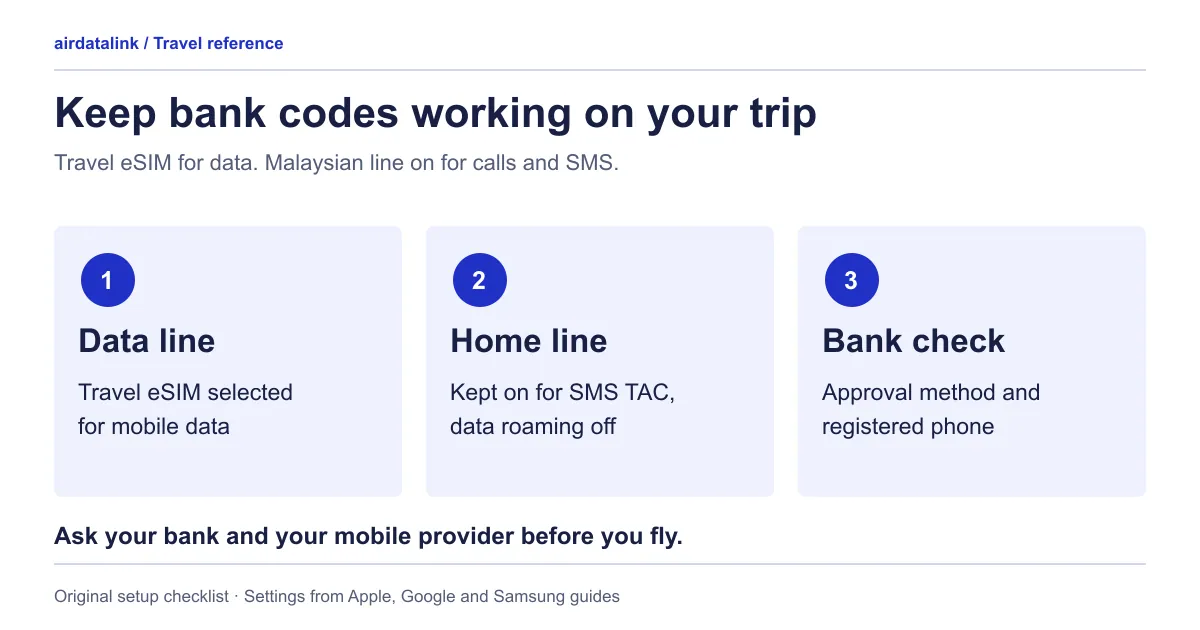
Keep your Malaysian SIM switched on as a second line for calls and SMS, choose the travel eSIM as the line for mobile data, and leave data roaming off on the Malaysian line unless you mean to use it. A data-only travel eSIM cannot receive an SMS, so a TAC sent to your Malaysian number still needs that line to be on and able to connect to a network abroad, which depends on your mobile provider’s roaming service. Before you fly, also ask how your bank approves transactions: Bank Negara Malaysia told banks in 2022 to move from SMS one-time passwords to more secure authentication, and an approval in a bank’s app needs internet on your registered phone, not an SMS.
This guide covers the bank side of a two-line setup. What a data-only plan can and cannot do for calls, WhatsApp and local numbers is in Travel eSIM with a phone number? Data-only, calls and SMS.
What each line does on the trip
| Task | Line that handles it | What has to be true |
|---|---|---|
| An SMS TAC or OTP sent to your Malaysian number | Malaysian line | The line is switched on, and your provider’s roaming service lets it connect to a network where you are |
| An ordinary call to your Malaysian number | Malaysian line | The same, and you know what your provider charges for it |
| An approval inside your bank’s app | Internet on your registered phone | Travel eSIM data or Wi-Fi on the phone your bank has registered |
| Maps, messaging apps, email | Travel eSIM | The travel eSIM is selected for mobile data and its data roaming is set as the plan instructs |
Both lines can be active together. Apple says that on a Dual SIM iPhone both numbers can make and receive calls and send and receive SMS, while the phone uses one mobile data network at a time (Apple Dual SIM). Samsung says that with two SIMs active you can receive calls and messages on both (Samsung).
Ask your bank before you fly
On 26 September 2022, Bank Negara Malaysia announced measures for the banking industry against financial scams. They included moving from SMS one-time passwords to a more secure form of authentication, and restricting customers to one mobile device or secure device for authenticating online banking transactions (BNM press release). The Governor’s speech that day said the move away from SMS OTP covers account opening, fund transfers and payments, and changes to personal information and account settings. It also said first-time enrolment of online banking or a secure device comes with a cooling-off period, during which no online banking activity is allowed (Governor’s speech).
How your own bank applies this today is a question for your bank. Ask these before you leave:
- How will I approve a transfer, payment or account change abroad? In the app, by SMS TAC, or either? What is the fallback if one does not work?
- Is the phone I am taking the one registered for approvals? If you plan to carry a second phone for the travel eSIM, approvals still happen on the registered one.
- Does adding an eSIM, or changing which SIM carries data, affect the app? Ask rather than assume.
- Do I need to register a new phone? Do it well before departure. A first-time enrolment’s cooling-off period is set by the bank, so leave time for it to finish at home.
- How do I report fraud or freeze my account from overseas? BNM said banks must set up dedicated scam hotlines and give customers convenient ways to suspend their accounts if they suspect a compromise (Governor’s speech). Save the bank’s official contact details offline.
Update the bank app and check that you can sign in on the phone you are taking. Do this at home, not at the departure gate.
Ask your mobile provider before you fly
Roaming terms belong to your own mobile plan, so this guide lists questions, not charges. Ask your provider:
- Is roaming active on my line for every country on this trip, and do I need to switch it on in my account first?
- What does it cost to receive SMS and calls abroad on my plan?
- If my line is prepaid, will it stay active for the whole trip?
- Does Wi-Fi Calling work on my line from my destination? The data-only guide covers what Apple says about it.
Apple notes that with a travel eSIM and your home line both on, the travel eSIM is used for data but you might still incur roaming fees from your home line (Apple). That is why the question about receiving SMS matters even when your data comes from the eSIM. For a wider comparison of roaming and a travel eSIM, see Malaysia roaming plan or travel eSIM?
Set up an iPhone
Menu names below follow Apple’s Malaysian guide. US-English settings say Cellular instead of Mobile Service or Mobile Data.
- Install the travel eSIM at the time its start rule allows; When does a travel eSIM start? explains why that differs by plan. Label the lines, for example “Malaysia” and “Travel”. Apple uses these labels when you choose a line for calls, messages and data (Apple Dual SIM).
- If iOS asks how to use the travel eSIM when you arrive, choose Travel eSIM and Current eSIM. Apple says that with both lines on, your travel eSIM is used for data and your primary line’s capabilities continue to work. With the travel eSIM only, FaceTime and iMessage continue on your home line (Apple). An SMS TAC is neither of those, so keep both lines on.
- Go to Settings, then Mobile Service or Mobile Data, then Mobile Data, and choose the travel line (Apple Dual SIM).
- Leave Allow Mobile Data Switching off unless you want the phone to use data from both plans depending on coverage, which is how Apple describes it.
- Tap the Malaysian line and check that the line is turned on.
- In the Malaysian line’s data options, turn Data Roaming off. In the travel line’s, set it as the plan instructs. Apple describes Data Roaming as internet access over a cellular data network outside your carrier’s network, set per number on a Dual SIM iPhone (Apple roaming options).
One side effect to know: Apple says that if data roaming is on for the number that uses mobile data, your voice-only number disables Visual Voicemail and MMS (Apple Dual SIM).
Set up an Android phone
Google Pixel. Open Settings, then Network & internet, then SIMs. Under “Your primary SIMs”, set Calls and Texts to your Malaysian SIM and Mobile data to the travel eSIM. Google says only one SIM can be the default for data, and its guide shows where to turn Automatic data switching off (Pixel dual SIM). Roaming is switched on or off in the same SIMs settings (Pixel data roaming): off for the Malaysian SIM, and as the plan instructs for the travel eSIM.
Samsung Galaxy. Open Settings, then Connections, then SIM card manager. Samsung’s guide sets Calls, Text Messages and Mobile data separately there, so choose the Malaysian SIM for calls and messages and the travel eSIM for mobile data (Samsung). Find the data roaming switch for each SIM in the phone’s mobile network settings.
On other Android phones the same three choices exist under SIM or mobile network settings. Menu names vary by model and software version, so check the compatible phones page and your manufacturer’s own instructions.
Two-line checklist
Before you fly:
- Bank: approval method, registered phone and overseas fraud contact confirmed
- Bank app updated, and sign-in works on the phone you are taking
- Provider: roaming active for your countries, and you know what receiving SMS abroad costs
- Prepaid line, if you have one, stays active for the whole trip
- Travel eSIM installed at the right time for its start rule, and both lines labelled
On arrival:
- Travel eSIM selected for mobile data, with data roaming set as its plan instructs
- Malaysian line switched on, with data roaming off
- Mobile data switching off, unless you chose otherwise
- Malaysian line shows a network before you start a payment that needs a TAC
When you get home, switch data back to your Malaysian line; the after-trip checklist covers the rest. To choose a plan for the trip, browse travel eSIMs by destination.
Common questions
Will I still get bank TAC on my Malaysian number if I use a travel eSIM?
Yes, if your Malaysian line stays switched on and your provider’s roaming service lets it connect to a network where you are. The travel eSIM carries your data; it does not receive SMS sent to your Malaysian number. Ask your provider what receiving SMS abroad costs.
Do I need data roaming on my Malaysian line to receive an SMS TAC?
Data roaming controls internet access on that line. Apple describes it as internet access over a cellular data network outside your carrier’s network. Calls and SMS on the line depend on your provider’s roaming service, so ask your provider whether it is active for your destination. Keep data roaming off on the Malaysian line if you want the travel eSIM to carry your data.
Can my bank app approve transactions over the travel eSIM’s data?
An in-app approval needs internet on the phone your bank has registered, and the travel eSIM can supply that internet. Whether your bank allows it from abroad, and on which device, is your bank’s rule, so confirm it before you leave. BNM’s 2022 measures restrict customers to one device for authenticating online banking.
Should I change phones or register my bank app just before a trip?
Avoid it if you can. BNM said first-time enrolment of online banking or a secure device has a cooling-off period during which no online banking activity is allowed. Register the phone early enough for that period to end while you are still at home.
Can I use a travel eSIM on an iPhone without losing my Malaysian number?
Yes. On a Dual SIM iPhone both numbers can send and receive SMS, and you choose which one uses mobile data. If iOS offers to use the travel eSIM only, choose the option that keeps both lines on. Apple says that with the travel eSIM alone, FaceTime and iMessage continue on your home line, and an SMS TAC is neither.
Sources
- Bank Negara Malaysia: Museum and Art Gallery launches Financial Crime Exhibition (press release, 26 September 2022)checked 5 November 2026
- Bank Negara Malaysia: Governor's speech at the launch of the Financial Crime Exhibition (26 September 2022)checked 5 November 2026
- Apple Support (Malaysia): Using Dual SIM with an eSIMchecked 5 November 2026
- Apple Support: Use eSIM while traveling internationally with your iPhonechecked 5 November 2026
- Apple Support: About cellular data roaming options for your iPhone and iPadchecked 5 November 2026
- Google Pixel Help: How to use dual SIMs on your Google Pixel phonechecked 5 November 2026
- Google Pixel Help: Reduce and manage mobile data usage (data roaming)checked 5 November 2026
- Samsung UK: How to use dual SIM cards on your Samsung phonechecked 5 November 2026
Related guides
Browse destinationsBrowse compatible phonesRead the installation guide