
Guide
China eSIM: WhatsApp, Google and maps on a travel plan
China eSIM guide: whether WhatsApp and Google work on a travel plan, how it differs from a local SIM, paying in China and which plan to pick.
On this page
Our China destination page says both China eSIMs send your data out through Hong Kong or Singapore, so Google, Gmail, WhatsApp and Instagram usually work on them without a VPN. “Usually” is deliberate. It describes how the plans route data, not a promise for every app on every day. This guide explains why a travel eSIM behaves differently from a local Chinese SIM, what we can and can’t say about messaging and maps, and how visitors pay and register. See the current China eSIM plans for what’s on sale.
Why a travel eSIM and a local SIM see different internet
A local Chinese SIM connects you to the internet inside mainland China. The UK government’s travel advice says the Chinese authorities control internet access, that Google, Facebook, YouTube and X are blocked, and that other sites may be blocked at times. It adds that access can be limited around key political events and dates. UK travel advice for China
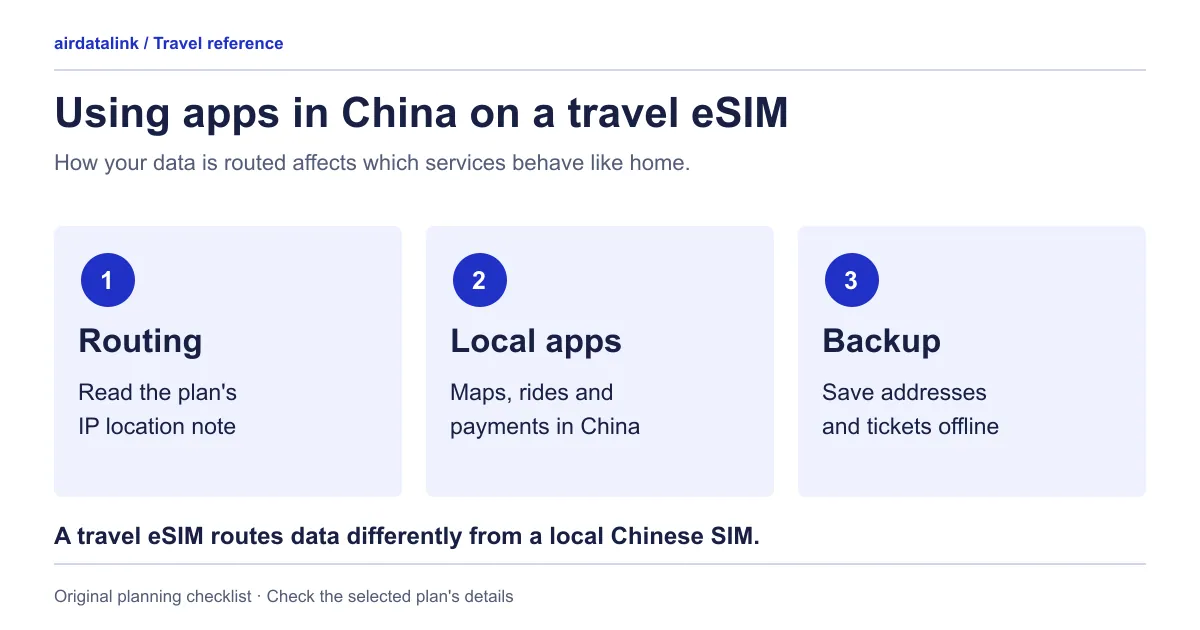
A travel eSIM from outside China works through roaming. Your phone still uses a mobile network in China for signal, but the plan usually passes your traffic through its own gateway before it reaches the public internet. Each plan page shows where, as an “IP location” note. On the two China eSIMs, per our destination page, that is Hong Kong or Singapore, which is why apps connect from there rather than from mainland China.
IP location is a separate thing from your phone’s GPS location, and it doesn’t add mobile coverage anywhere. It changes what websites and apps see when you connect.
What we can say about WhatsApp, Google and Google Maps
Here is what the China destination page says: Google, Gmail, WhatsApp and Instagram usually work on the China eSIMs without a VPN, because apps connect from Hong Kong or Singapore. Here is what it doesn’t say: that every service works, that nothing will change during your trip, or that other plans behave the same way. Services decide who they serve, and the UK page notes that access can tighten around key dates.
Read the IP note on the plan page as well. Where a plan’s data can exit in Hong Kong, the page warns that apps restricted in Hong Kong, such as TikTok and ChatGPT, may not work. The “usually work” line is made for the two China eSIMs only. The Asia plans and the Greater China+ eSIM have their own notes, so read each one. For calls inside WhatsApp and what a data plan does or doesn’t include, see our data-only eSIM guide.
Google Maps follows the same logic: if Google’s services are reachable on your connection, the app can load. We can’t rate how its directions compare with a local app’s in a given city, and we found no official comparison. Google’s help page does say offline maps aren’t available in some countries or regions, without naming them, and that walking and transit directions don’t work offline. Google Maps offline help Test the download for your cities before you rely on it.
Amap (Gaode) and Baidu Maps are Chinese map apps. We don’t rank them against Google Maps. Search your hotel and a walking route in each before you fly, check the interface language, and keep the hotel’s name and address in Chinese characters in a note.
Paying and getting around without a Chinese SIM
The State Council’s English guide for overseas visitors says Alipay and WeChat Pay let foreign users link international credit cards, including Visa and Mastercard. It also reports that the limits for overseas users on these platforms were raised, that cards work where the network’s logo is shown, and that visitors can exchange currency at bank outlets and withdraw yuan at ATMs showing their card network’s logo. State Council payment guide The People’s Bank of China’s briefing adds that cash remains legal tender. PBOC briefing
The UK government says cashless payments through apps such as WeChat and Alipay are almost universal, that outside major cities cards aren’t always accepted and ATMs are limited, and that QR code phishing is a risk. Set up your wallet at home over Wi-Fi by following the app’s own steps, and carry a card and some cash as backup. Limits and rules change, so don’t rely on figures from an old article.
Real-name registration for a local SIM
A local mainland SIM means an ID check. The Ministry of Industry and Information Technology’s rules on registering telephone users (Order No. 25, in force since 1 September 2013) require carriers to register users’ real identity information. They list a foreign citizen’s passport among the accepted documents, and they require the carrier to refuse network access to a user who won’t show valid ID. MIIT Order No. 25, in Chinese
Our China destination page says none of our China plans asks for passport or ID registration. That’s a fact about our plans, not legal advice about local SIMs.
China-only, Greater China+ or Asia plan
| Plan | Fits | Check on its page |
|---|---|---|
| China eSIM | A China-only trip | Its IP location note, top-up options and what happens after daily data |
| China Special eSIM | A China-only trip, on China Telecom and China Unicom per our destination page | The same checks, plus whether you want daily or one total allowance |
| China, Hong Kong, Macao & Taiwan (Greater China+) eSIM | China with Hong Kong, Macao or Taiwan on one eSIM | Its own IP location and start rule, because the “usually work” line isn’t made for it |
| Asia 15 eSIM and Asia 28 eSIM | China as one of several countries | That China is in the coverage list; the East Asia region page lists regional options |
For China together with Japan or South Korea, see one eSIM for Japan, South Korea and China.
Before you fly
- Check your phone. Apple’s page for iPhones bought in mainland China lists a short set of models that support eSIM there and says eSIMs from carriers outside the mainland can’t be installed while you are located there. Apple’s China mainland eSIM page Its guide to eSIM abroad adds that in Hong Kong and Macao certain iPhone models use two nano-SIM cards instead of eSIM. Apple’s travel eSIM guide If your phone was bought in one of those places, confirm eSIM support first; our eSIM compatible phones page has the general check.
- Check the start rule first. Both China eSIMs start when they first connect in China, per our destination page, so installing at home over Wi-Fi doesn’t use their days. For any other plan, follow its own rule. Our installation guide has the steps.
- Save the basics offline. Keep the hotel’s name and address in Chinese, your booking and a contact in a note. If you pass through Hong Kong, our arrival guide covers airport Wi-Fi and an offline address card.
Common questions
Do WhatsApp and Google work in China with a travel eSIM?
On the two China eSIMs, our destination page says Google, Gmail, WhatsApp and Instagram usually work without a VPN, because apps connect from Hong Kong or Singapore. That isn’t a guarantee for every app, and the plan page’s IP note names apps that may not work from a Hong Kong IP.
Do I need a VPN with a China eSIM?
For the apps named above, our destination page says they usually work without one on the two China eSIMs. VPN services are regulated in mainland China; the UK government says they need to be licensed. We don’t give VPN advice. If an app you depend on isn’t covered, contact support with the plan and app before you buy.
Do I need to register my passport for a China eSIM?
Our destination page says none of our China plans asks for passport or ID registration. A local mainland SIM is different: Chinese regulations require the carrier to register your identity, and a foreign citizen’s passport is an accepted document.
Can I use Alipay or WeChat Pay as a visitor?
According to the State Council’s guide, foreign users can link international Visa and Mastercard cards to both. Keep a backup card and some cash, as the UK government notes cards aren’t always accepted outside major cities.
Sources
- UK Foreign, Commonwealth & Development Office: China travel advice, safety and securitychecked 30 October 2026
- State Council of the PRC: Payment service guide for overseas visitors to Chinachecked 30 October 2026
- People's Bank of China: SCIO policy briefing on further optimizing payment serviceschecked 30 October 2026
- Ministry of Industry and Information Technology Order No. 25: Provisions on Real Identity Information Registration for Telephone Users (Chinese text)checked 30 October 2026
- Apple Support: Using eSIM with your iPhone in China mainlandchecked 30 October 2026
- Apple Support: Use eSIM while traveling internationally with your iPhonechecked 30 October 2026
- Google Maps Help: Download areas and navigate offlinechecked 30 October 2026
Plans for your trip

Related guides
Browse destinationsBrowse compatible phonesRead the installation guide